







 SIMPL - School
Information Management Portal
SIMPL - School
Information Management Portal WINGS - Placement portal
 eNABLE - HR solution
 ALMA DRIVE - Alumni Portal

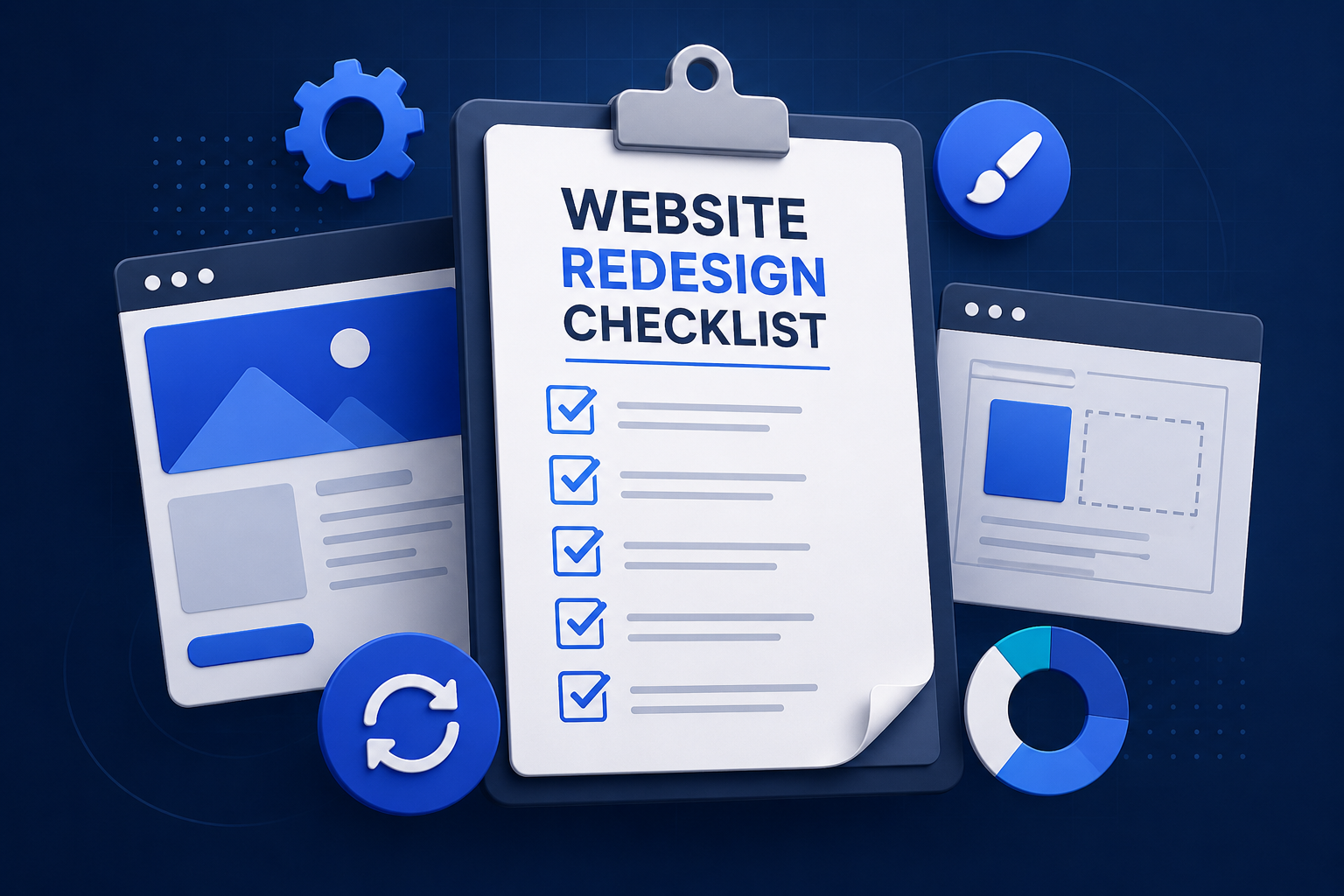
A website redesign checklist should include a full site audit, clear redesign goals, information architecture mapping, UI/UX improvements, SEO migration planning with 301 redirects, Core Web Vitals optimization, mobile responsiveness testing, accessibility checks, and post-launch analytics tracking — in that order, from planning through launch.
Thinking about a new website but not sure if you need a full rebuild or just a facelift? This website redesign checklist for 2026 is built to answer exactly that, before you spend a single rupee on a website update.
Most business owners jump to “let’s redesign everything” the moment the homepage starts feeling dated. Sometimes that’s right. Often, a smaller website refresh gets the job done for less money and less downtime.
This website redesign checklist 2026 guide breaks down both paths, plus what belongs on your list either way.
Website Redesign vs Website Refresh: What’s the Real Difference?
People use these terms like they mean the same thing. They don’t.
A website refresh is cosmetic. New fonts, updated images, a cleaner color palette, refreshed copy on a few pages. Your site structure, navigation, and back end stay mostly untouched.
A website redesign goes deeper. It touches your information architecture, your UX, sometimes your CMS or hosting, and often your entire visual identity.
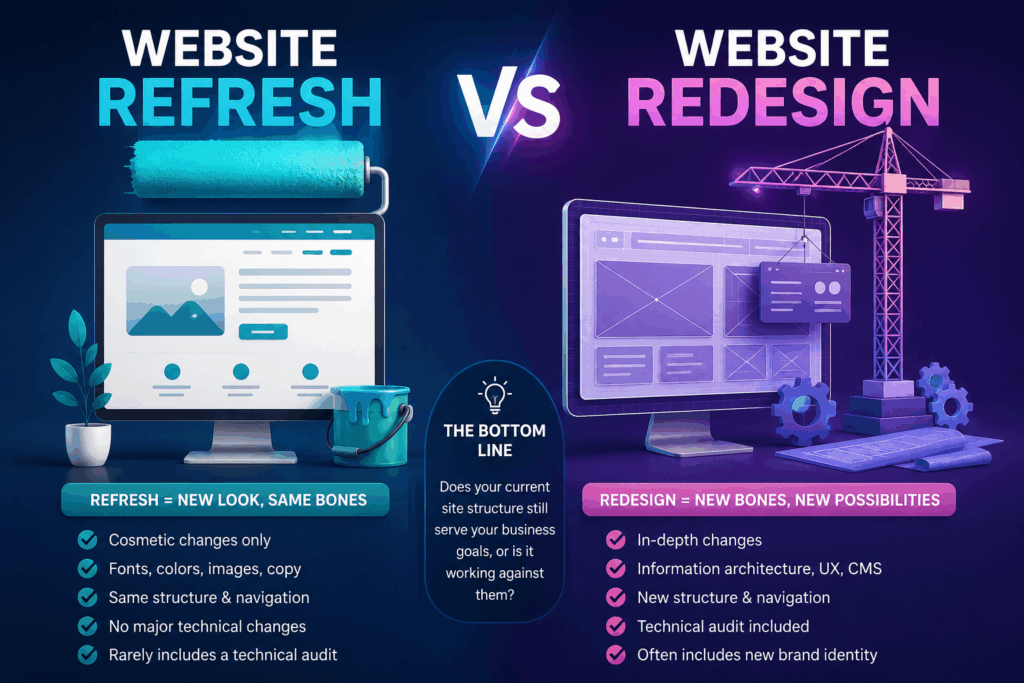
Here’s the quick way to tell them apart:
- Refresh — new look, same bones
- Redesign — new bones, possibly a new look too
- Redesign website work usually includes a technical audit; a refresh rarely does
If your team is debating website redesign vs refresh right now, the honest answer usually comes down to one thing: does your current site structure still serve your business goals, or is it actively working against them?
When Should You Redesign Your Website
This is the question we get asked most at Swaragh, and it deserves a real answer, not a sales pitch.
Signs Your Website Needs a Redesign
You probably need a full redesign website project if you notice:
- Your bounce rate has been climbing for months with no clear cause
- Mobile visitors leave within seconds — a mobile responsiveness problem, not a content one
- Your Core Web Vitals scores are failing in Google Search Console
- You’ve added services or products your navigation doesn’t reflect anymore
- Your branding has evolved but your site still looks like it did five years ago
- Competitors’ sites feel noticeably more modern and easier to use
If three or more of these sound familiar, it’s not really a should I redesign my website debate anymore — it’s a when.
Signs You Only Need a Refresh
On the other hand, a refresh is enough if:
- Your structure and navigation still make sense to visitors
- Core Web Vitals and page speed are reasonably healthy
- The main issue is that the design just feels tired, not broken
Don’t redesign website pages that are already converting well just because they look a bit old. That’s money spent solving a problem you don’t have.
How Often Should You Redesign Your Website
There’s no universal rule, but industry practice points to a full redesign every 2-3 years, with smaller refreshes in between.
Google’s own algorithm updates, changing user expectations, and mobile behavior shift fast enough that a site untouched for 4-5 years is almost always underperforming, even if nobody on your team has noticed yet.
Treat website maintenance as ongoing — small fixes, content audit passes, plugin and security updates — and save the bigger website redesign process for when the signs above start stacking up.
A smart website redesign strategy treats refreshes and redesigns as separate budget lines, not one lump project. Staged website modernization, refresh now, redesign later, often costs less than doing everything at once.
Why Businesses Are Redesigning Websites in 2026
2026 has brought new pressure points that didn’t exist a few years ago.
AI search optimization is now unavoidable. Google’s Google AI Overviews pull content directly into search results, and your site structure affects whether you get cited at all.
A study by BrightEdge found that AI Overviews now appear on roughly half of tracked search queries, changing how people discover content before they ever click a link.
That means your modern website design needs to be built for both humans and AI crawlers — clean structure, clear answers, and strong internal linking.
Add to that rising expectations around mobile responsiveness, faster load times, and website accessibility compliance, and you can see why 2026 redesigns look different from 2020 ones.
What Should Be on Your Website Redesign Checklist for 2026
Once you’ve decided a redesign is the right move, this is the part that actually matters. A good website redesign checklist covers seven areas, and skipping any of them is where projects go wrong.
Before you touch a single page, put together a website redesign planning checklist covering your goals, budget, timeline, and who signs off on what. Most delays happen here, not during design.
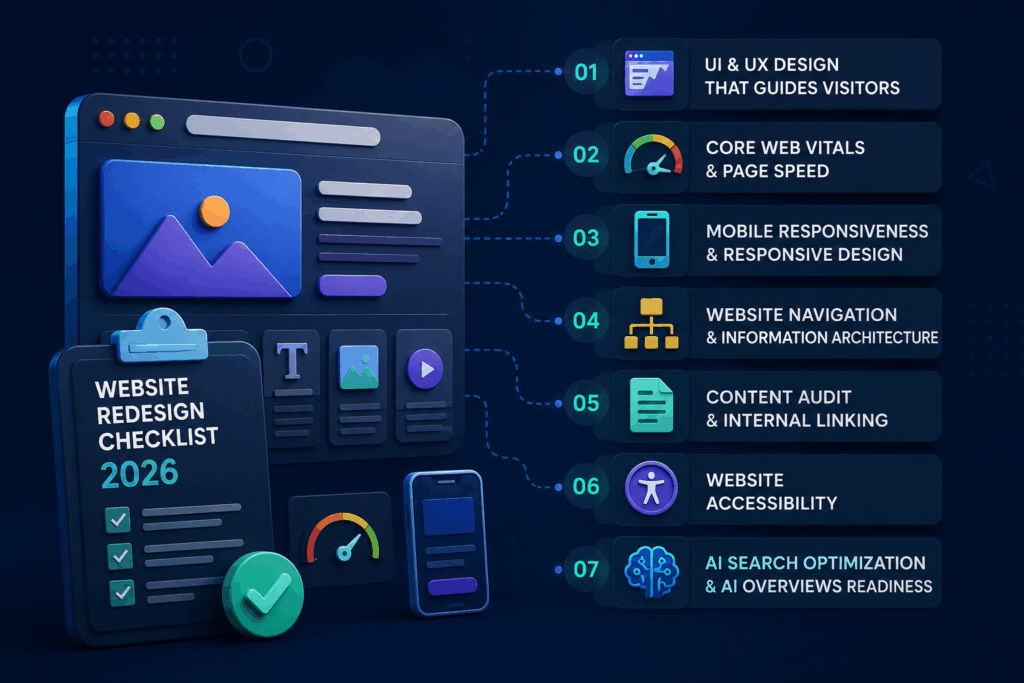
1. UI and UX Design That Actually Guides Visitors
Good UI design isn’t decoration — it’s direction, and it’s the backbone of user experience on every page. A clear visual hierarchy tells visitors where to look first, second, and third.
Start the whole project with a proper website audit covering technical SEO, content gaps, and UX friction points. A modern website design built on top of unresolved problems just hides them better, for a while.
Map out UX improvements around your top three visitor goals: find information, contact you, or buy something. If a page doesn’t serve one of those, question why it exists.
2. Core Web Vitals and Page Speed
Google measures three things closely: Largest Contentful Paint (loading), Interaction to Next Paint (responsiveness), and Cumulative Layout Shift (visual stability).
Aim for LCP under 2.5 seconds, INP under 200 milliseconds, and CLS under 0.1. Page speed isn’t a nice-to-have anymore — it directly affects both rankings and how long visitors stick around.
3. Mobile Responsiveness and Responsive Design
Most of your traffic is almost certainly on a phone. Responsive design has to be tested on real devices, not just a browser preview window.
Check tap target sizes, form fields, and menu behavior specifically on mobile — these are where redesigns quietly fail.
4. Website Navigation and Information Architecture
Weak information architecture is the single most common reason visitors bounce. If someone can’t find your pricing or services in two clicks, your website navigation needs rework.
Group pages by what the visitor is trying to do, not by how your internal team is organized.
5. Content Audit and Internal Linking
Run a full content audit before migration. Decide what stays, what gets rewritten, what merges, and what gets removed entirely.
Then rebuild your internal linking with intent — link related services and blog posts to each other so both users and search engines can follow the trail.
6. Website Accessibility
Website accessibility isn’t optional anymore, and it’s good practice regardless. Alt text on images, sufficient color contrast, keyboard navigation, and readable font sizes benefit every visitor, not just those using assistive tech.
7. AI Search Optimization and Google AI Overviews Readiness
This is the one most checklists from a few years ago miss entirely. Website redesign for AI search means structuring content so tools like Google AI Overviews and AI chat assistants can actually read and cite it.
That means clear headings, direct answers near the top of sections, FAQ schema, and clean HTML — not just clever design.
What Belongs in a Website Redesign Checklist for SEO Before Launch
A website redesign checklist for SEO is where most traffic gets lost, usually from simple, avoidable mistakes. It’s also where a redesign can strengthen your search engine optimization fundamentals long-term, if you handle it right. Before you go live, confirm:
- 301 redirects are mapped for every old URL that’s changing
- XML sitemap is updated and resubmitted in Search Console
- Meta titles and descriptions are carried over or improved, not left blank
- Structured data (schema) is implemented for FAQs, articles, and business info
- Google Analytics and conversion tracking are reinstalled and tested
- robots.txt isn’t accidentally blocking the new site
This website redesign checklist before launch step alone can save you weeks of lost rankings if your current site already performs well organically. Website redesign for Google rankings isn’t complicated — it’s just easy to forget under launch pressure.
What Website Redesign Mistakes Should You Avoid
We’ve audited enough client sites to see the same website redesign mistakes to avoid, over and over:
- Skipping the SEO migration plan — losing rankings you’d spent years earning
- Designing for desktop first — when most visitors arrive on mobile
- Ignoring page speed until after launch — by then it’s a rebuild, not a fix
- No clear call-to-action on key pages, so visitors don’t know the next step
- Rushing the website redesign process to hit an arbitrary launch date
- Skipping user testing before going live
A rigorous website redesign strategy plans for these upfront instead of firefighting them after launch. Good website redesign planning at the start prevents most of the mistakes above. These website redesign tips apply whether you’re updating five pages or fifty.
How Can a Website Redesign Boost Your Conversions
Design decisions have a direct line to your revenue. Better visual hierarchy, clearer calls-to-action, and focused landing page optimization all reduce the friction between a visitor and a decision.
Done right, website redesign for better conversions isn’t guesswork — it’s testing one variable at a time: headline, CTA placement, form length, page layout.
Even small conversion optimization tweaks, like moving a call-to-action above the fold or shortening a contact form, tend to move the needle more than a full visual overhaul does on its own.
Website Redesign Checklist for Small Businesses
Small businesses often assume a redesign is only for big brands with big budgets. That’s not true.
A website redesign checklist for small businesses should be simpler but still strategic:
- Focus on the 3-5 pages that drive the most business (usually homepage, services, contact)
- Prioritize page speed and mobile responsiveness over decorative extras
- Choose a website redesign company experienced with your industry size, not just enterprise clients
- Keep website maintenance costs realistic post-launch
You don’t need every bell and whistle. You need a site that loads fast, explains what you do, and makes it easy to contact you.
Website Redesign for AI Search and Google Rankings
Website redesign for AI search is one of the newest considerations businesses face in 2026.
To improve your odds of appearing in Google AI Overviews and other AI-driven search features:
- Structure content with clear headings and direct answers
- Add FAQ sections using structured schema markup
- Strengthen internal linking so AI crawlers understand page relationships
- Include original data or unique insights AI tools can cite
Website redesign for Google rankings and AI visibility now go hand in hand — you can’t fully optimize for one without considering the other.

Not sure if you need a redesign or a refresh?
Get a free website audit
Conclusion
Most sites don’t need a total overhaul. They need someone to actually look at the data and make a call. That’s the whole point of this website redesign checklist — it takes the guesswork out of a decision usually made on gut feeling. If your bounce rate is climbing, your Core Web Vitals are in the red, or your website navigation confuses visitors, that’s your answer: redesign website. If the foundation is solid and it’s really just about looking current, a website refresh will do the job just fine.
Either way, don’t skip the planning. A rushed website redesign process is how businesses end up rebuilding twice in two years instead of once in five. Run the website audit, set clear goals, protect rankings during SEO migration, and let a solid website redesign strategy guide the design work. Do that, and your next redesign website project won’t just look better — it’ll perform better in search, speed, and conversions.
FAQs
1. Is it better to redesign or refresh a website?
It depends on what’s broken. If your site just looks outdated, a refresh is enough. If navigation, speed, or conversions are genuinely failing, a full website redesign is the better investment.
2. How do I know if my website needs a redesign?
Look for rising bounce rates, poor Core Web Vitals, confusing navigation, and a design that hasn’t changed in years. These are the clearest signs your website needs a redesign.
3. How often should you redesign your website?
Most businesses redesign every 2-3 years. Sites with strong website performance can stretch that timeline further using smaller refreshes in between full redesigns.
4. What goes into a website redesign planning checklist?
Start with a website audit, define clear goals, map out information architecture, and build a website redesign strategy before any design work begins.
5. What mistakes should you avoid during a website redesign?
The most common website redesign mistakes to avoid are skipping the audit, ignoring SEO migration, overloading pages visually, and not testing mobile before launch.
6. How can a website redesign improve conversions?
A website redesign for better conversions typically adds clearer calls-to-action, faster load times, stronger trust signals, and optimized landing pages that reduce drop-off.
7. How does a website redesign help with AI search rankings?
A website redesign for AI search improves visibility in tools like Google AI Overviews through clear content structure, FAQ schema, strong internal linking, and original data AI models can cite.
8. What does a complete website redesign guide cover in 2026?
A complete website redesign guide for 2026 covers auditing, strategy, information architecture, UX/UI, SEO migration, content, accessibility, and AI search readiness from planning through launch.
